


- › Home
- › Categories
- › Keyboards
- › Microsoft
› Microsoft Surface Pro 12'' Keyboard with Pen


18 sales
Microsoft Surface Pro 12'' Keyboard with Pen - In Stock @Price in Kenya
Order Microsoft Surface Pro 12'' Keyboard with Pen from Price in Kenya with fast delivery across the country and in-store pickup in Nairobi.

Condition
New
Featured specifications for Microsoft Surface Pro 12'' Keyboard with Pen
- Keys
- UK English
- Battery
- No
- Wireless connectivity
- No
KSh 26,000
In Stock
Kindly note that though we strive to keep all products up to date, price and availability are subject to change without prior notice.
Microsoft Surface Pro 12'' Keyboard with Pen key features
Dual-angle stability
Automatic pairing with no manual setup
Alcantara fabric
Glass Multi-touch
Rechargeable Surface pen with up to 15h of continuous use
Customizable shortcuts
Customers also viewed
Other items from Price in Kenya similar to Microsoft Surface Pro 12'' Keyboard with Pen
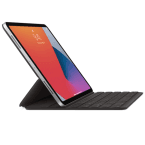
Apple Smart Keyboard Folio, For 11-inch iPad
KSh 27,000
Compare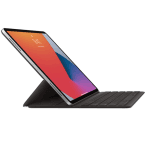
Apple Smart Keyboard Folio, For 12.9-inch iPad
KSh 24,900
Compare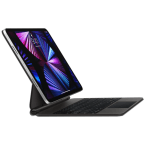
Apple Magic Keyboard, For 11-inch iPad M4
KSh 48,000
Compare
OnePlus Pad 4 Smart Keyboard
KSh 30,500
Compare
Apple Magic Keyboard
KSh 21,000
Compare
Apple Magic Keyboard With Numeric Keypad
KSh 17,300
Compare
Apple Magic Keyboard With Touch ID And Numeric Keypad
KSh 19,800
Compare
Logitech MK220, Wireless Keyboard and Mouse Combo
KSh 3,500
Compare


Microsoft Surface Pro 12'' Keyboard with Pen Highlights
Instant Laptop Transformation: Snaps effortlessly onto compatible Surface Pro models via a reliable magnetic connection, instantly giving you a full physical workstation.
Built-In Pen Storage: Features a clever, integrated storage tray built right into the keyboard wedge that keeps your stylus secure.
Wireless Pen Charging: Automatically recharges the Surface Slim Pen while it rests in its storage tray, ensuring it is powered up whenever you lift it out.
Full Row Function Keys: Packed with a standard, mechanical layout including a full row of function keys (F1–F12) for traditional PC navigation.
Premium Alcantara Finish: Wrapped in Microsoft's signature soft textured Alcantara fabric on the palm rest and outer shell, providing a sleek, highly durable surface that is comfortable against your wrists.
Dedicated Copilot Key: Features a built-in shortcut key that opens Windows AI Copilot with a single press, skipping menu clicks for faster productivity.
Adjustable LED Backlighting: Equipped with backlit mechanical keys that you can adjust for comfortable typing in dim coffee shops or late night study sessions.
Spacious Precision Touchpad: Houses a generous, highly responsive glass touchpad that fully supports Windows multi-touch gestures and smooth scrolling.
Natural Inking Experience: The included Slim Pen features 4,096 levels of pressure sensitivity, zero force inking, and tilt shading, mimicking a realistic pen on paper feel.
Instant Shortcut Triggers: Includes dedicated media controls, screen brightness keys, a microphone mute key, and a one tap snipping tool key directly on the layout.
Ergonomic Typing Wedge: Designed with a subtle magnetic fold that props the keyboard up at a slight angle, giving you a more comfortable typing posture on your lap or desk.
Ultra-Slim Profile: Maintains an extremely thin and lightweight footprint, adding essential laptop functionality without adding unnecessary weight to your bag.
Specs comparison
Compare Microsoft Surface Pro 12'' Keyboard with Pen specs with similar products
| Detailed Comparison | |||||||||
|---|---|---|---|---|---|---|---|---|---|
| Popularity stats for Jul 2026 | |||||||||
| Views | 73 | 297 | 297 | 345 | 322 | 293 | 468 | 147 | 124 |
| Sales | 9 | 32 | 28 | 32 | 30 | 32 | 36 | 14 | 8 |
| Likes | 0 | 1 | 1 | 1 | 0 | 0 | 0 | 0 | 0 |
| Hotness score | 0 | 0 | 0 | 0 | 0 | 0 | 0 | 0 | 0 |
| Price | KSh 26,000 | KSh 19,800 | KSh 27,000 | KSh 24,900 | KSh 21,000 | KSh 17,300 | KSh 48,000 | KSh 3,500 | KSh 30,500 |
| General | |||||||||
| Available |
|
|
|
|
|
|
|
|
|
| Dimensions |
|
|
|
|
|
|
|
|
|
| Weight |
|
|
|
|
|
|
|
|
|
| Colors |
|
|
|
|
|
|
|
|
|
| Compatibility |
|
|
|
|
|
|
|
|
|
| Key features |
|
|
|
|
|
|
|
|
|
| Keys |
|
|
|
|
|
|
|
|
|
| Functions |
|
|
|
|
|
|
|
|
|
| Battery |
|
|
|
|
|
|
|
|
|
| Connector |
|
|
|
|
|
|
|
|
|
| Wireless connectivity |
|
|
|
|
|
|
|
|
|
| Features |
|
|
|
|
|
|
|
|
|
| Notes |
|
|
|
|
|
|
|
|
|


Video reviews
The best video reviews for Microsoft Surface Pro 12'' Keyboard with Pen
-
6 Months Later [Courtesy]
-
Microsoft ExpertZone UKI [Courtesy]
-
Thao Huynh [Courtesy]
Price history
Historical prices for Microsoft Surface Pro 12'' Keyboard with Pen
User reviews
Reviews and ratings for Microsoft Surface Pro 12'' Keyboard with Pen
0 Based on 0 reviews
5 star
0%
(0)
4 star
0%
(0)
3 star
0%
(0)
2 star
0%
(0)
1 star
0%
(0)
Reviews (0)
Help other users to know more about this item.
Price range
All Keyboards by price range
Trade-in
Trade in and save on new purchases
Save on new purchases when you trade in your old eligible device Trade-in supported devices